Centurylink GPON Internet: Plans, Pricing, and Access Guide
Centurylink GPON is a fiber-based access technology designed to deliver high-speed connectivity over shared fiber infrastructure. This guide explains how GPON works in the context of major U.S. providers’ offerings, compares representative packages and pricing, and outlines practical ways to reduce monthly Internet costs. It also covers equipment, reliability factors, and what to verify before ordering.
Key Takeaways for Centurylink GPON (and Similar Fiber) Internet
If you’re evaluating Centurylink GPON or comparable fiber services, focus first on (1) the actual speed tier and whether it’s symmetrical, (2) router/ONT requirements and included equipment, and (3) total cost over time (intro pricing vs. standard pricing, plus any monthly add-ons). Fiber delivered via GPON commonly uses a shared fiber segment, so the network’s performance is strongest when the provider’s capacity planning and locality are solid.
Because Internet availability depends on your address, the very reliable approach is to confirm serviceability through the provider’s official order flow. Once you can see what’s offered nearby (not just marketed plans), you can compare speeds, equipment, and pricing conditions in an apples-to-apples way.
Also remember that “GPON” describes the access technology, not an end-user guarantee of a specific experience. Two homes on the same ZIP code can have different performance at peak hours depending on how the provider provisioned their feeder fiber, the split ratio used, and the amount of active usage from neighboring customers. As a result, it’s smart to treat GPON as a “good architecture” rather than a standalone promise of throughput.
Finally, be honest about what actually determines your experience once you place an order: Wi‑Fi coverage, device capabilities, router settings, wiring quality, and even your household’s usage profile. A 500 Mbps plan can feel slow in a poorly configured Wi‑Fi setup, while a 300 Mbps plan can feel extremely fast with wired connections and a capable router.
Understanding Centurylink GPON: What “GPON” Means for Real-World Use
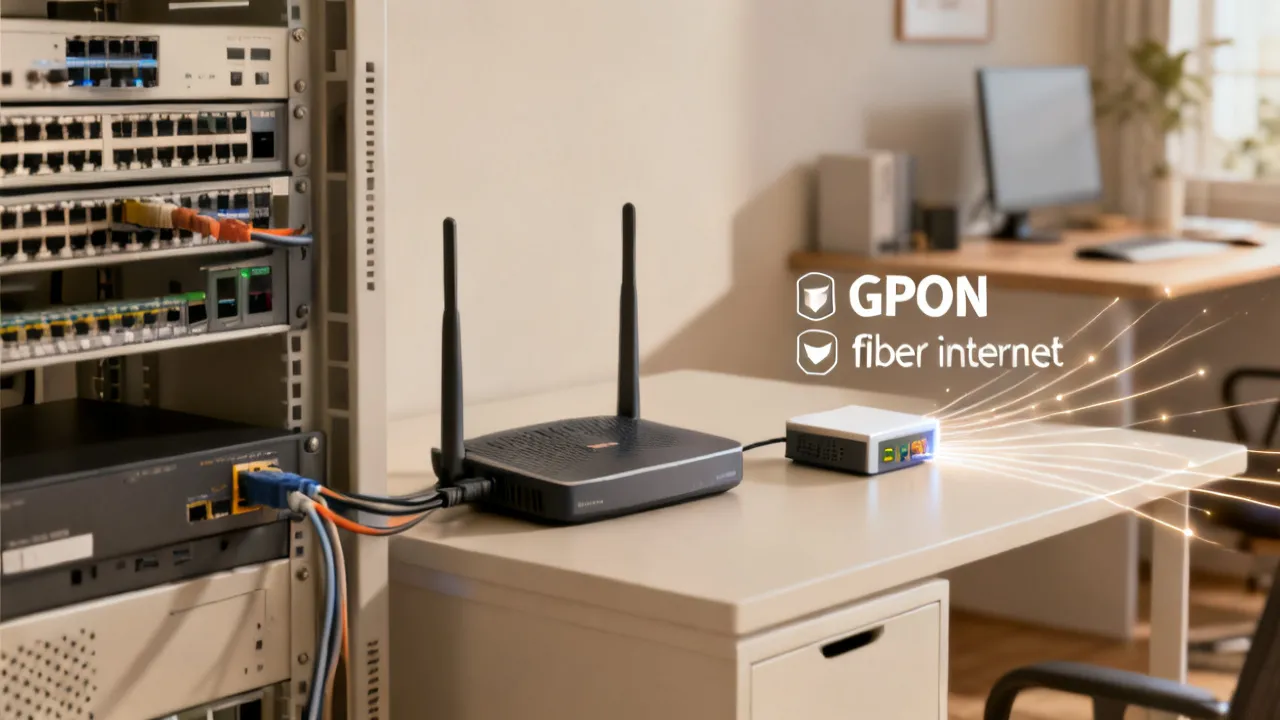
GPON (Gigabit Passive Optical Network) is a fiber access technology where data is transmitted over fiber from the provider to a building, typically passing through passive splitters. In plain terms: your home is connected to fiber infrastructure, but multiple customers may share segments of the upstream/downstream capacity depending on the splitter and network design.
In most residential fiber deployments, the “last mile” is fiber, but the connection between your home and the provider’s backbone is where the technology details matter. GPON uses passive splitters rather than active electronics at each split. This can be cost-effective and scalable for providers, but it means that the network’s performance is ultimately shaped by how many end users share a given feeder and how the provider manages traffic.
From an end-user perspective, GPON is usually chosen because it scales efficiently for providers while delivering high throughput. Performance you experience in browsing, streaming, gaming, video calls, and cloud uploads will depend on several factors beyond the headline speed—such as local congestion, Wi‑Fi quality, number of active users, and the capability of your gateway/router.
What GPON doesn’t tell you directly: It doesn’t automatically guarantee that every customer always sees the maximum headline speed at every hour. It also doesn’t guarantee identical upload performance across tiers unless the plan explicitly provides symmetrical upload/downlink. In practice, the plan tier plus network provisioning determines what you can expect.
What to check when shopping for any GPON-based or fiber-based plan (including services offered by different providers):
- Downstream vs. upstream speeds: Some fiber offerings emphasize symmetrical performance (upload and download at the same rate), which can matter for video conferencing, live streaming, and frequent cloud backups.
- Equipment included vs. rented: Some providers include a Wi‑Fi gateway/router, while others charge monthly equipment rental or require you to use a compatible modem/router.
- Data policy and network management: Many residential providers advertise “unlimited data,” but you should still review any fair-use policies, congestion statements, or throttling terms.
- Contract terms: While many providers avoid long contracts, installation fees, equipment fees, and price changes after promotional periods still affect good value.
- Promotional pricing windows: Introductory rates often apply for the first 12 months; later pricing can materially change the true monthly cost.
- Latency claims: Some providers market low latency; however, the real question is consistency for your area and routing. If you play competitive games, consider looking for customer feedback about responsiveness and peak-hour behavior.
- Support and replacement policies: If you need router replacements or ONT/gateway service, review warranty, support response time, and whether replacements are charged or included.
One useful mental model is to separate your “Internet experience” into layers:
- Access layer (GPON/fiber): Determines baseline capability and how well the provider handles throughput.
- Home gateway layer (ONT + router): Determines NAT behavior, throughput limits on Wi‑Fi, and advanced features.
- Wi‑Fi layer: Often the largest variable in real-world speed.
- Device layer: Determines how fast a phone, laptop, or console can actually connect (e.g., Wi‑Fi 5 vs Wi‑Fi 6 vs Wi‑Fi 6E).
- Application layer: Streaming codecs, browser optimization, and upload services can change effective speeds.
When you evaluate Centurylink GPON, you’re really auditing the entire chain—speed tier is just the first link.
How Major U.S. Internet Providers Compare (Representative Packages)
Below is a practical comparison of representative residential Internet packages from several well-known U.S. providers. Prices and included features can vary by region and address, so treat this as a structured snapshot rather than a guaranteed quote for every household.
Even within the same provider, two important differences can exist:
- “Available at your address” may mean different network types: A street can have fiber in one neighborhood and cable in another.
- “Speed tier” does not always mean “matching capabilities”: Some tiers may advertise a certain downstream but have different upstream performance, or the included router/gateway may cap Wi‑Fi throughput.
| Provider & Package Type | Representative Monthly Price / Speed Tier | Common Extras & Conditions |
|---|---|---|
| Xfinity (Cable, non-contract options) | From about $19.99/mo for up to 50 Mbps; up to $39.99/mo for up to 100 Mbps (intro pricing examples) | No contracts in many offerings; some plans include access to Xfinity Wi‑Fi hotspots; equipment rental may apply on select tiers |
| AT&T Fiber | About $55/mo for 300 Mbps; about $65/mo for 500 Mbps; about $80/mo for 1 Gig (with autopay discount mentioned in many offers) | Often emphasizes symmetrical upload/download on fiber tiers; Wi‑Fi gateway included in listed examples |
| Spectrum Internet (Cable) | About $50/mo for up to 500 Mbps (intro example); about $70/mo for up to 1,000 Mbps | Commonly includes unlimited data; no contracts in listed examples; pricing can rise after initial period |
| T‑Mobile 5G Home Internet (Fixed wireless) | About $35–$70/mo for roughly 72–245 Mbps (pricing depends on eligibility and location) | Uses fixed wireless 5G; performance can vary by local coverage; eligible customers may receive discounted rates |
| Astound Broadband (Cable, regional) | Starts around $20/mo for up to 300 Mbps (intro example) | Availability varies by region; some plans include a price guarantee for a defined term |
| Verizon Fios (Fiber) | About $49.99/mo for 300 Mbps (with autopay example); about $89.99/mo for 1 Gig | Fiber connection; symmetrical performance is commonly highlighted; Wi‑Fi router may be included |
source: www.xfinity.com (representative pricing examples referenced in this guide), www.att.com, www.spectrum.com, www.t-mobile.com, www.astound.com, www.verizon.com
Note: The table above does not list every plan, and it is intentionally limited to three columns to keep comparison readable.
For a more accurate comparison, you can also standardize on the things that matter to you:
- All-in price at 12 months (not just intro).
- Upload speed at your tier.
- Router/gateway included and whether you can use your own.
- Installation cost and whether a technician appointment is required.
- Network type in your exact area: fiber vs cable vs fixed wireless, because even “same speeds” can feel different.
When you compare Centurylink GPON to cable offers, look closely at what the provider says about congestion. Cable neighborhoods can be excellent at off-peak hours but show declines at peak times as many users share the same coax segment. Fiber is typically more consistent, but you should still consider local GPON capacity planning.
Accessing Internet at Lower Cost: A Step-by-Step Expert Checklist
From an industry perspective, “cheap Internet” isn’t only about the sticker price—it’s about total monthly cost, installation timing, equipment ownership, and how well the service matches your usage. Here are practical steps you can take to reduce cost without undermining reliability.
A useful approach is to separate “savings you can verify” from “savings you assume.” Verified savings include promo terms, equipment inclusions, autopay eligibility, and price guarantees. Assumptions include “I’ll probably get the full speed,” “Wi‑Fi will be fine everywhere,” or “support will be quick if something breaks.” The checklist below aims to reduce those assumptions.
Step 1: Verify what’s actually available nearby
- Enter your address on the provider’s official availability checker.
- Compare technologies: fiber (including GPON), cable, and fixed wireless may all be available in different neighborhoods, but pricing and performance differ.
- If you see multiple tiers, start by matching your speed needs to the actual household demand (streaming, video calls, remote work, gaming, and backups).
- Watch for tech-specific notes: availability tools sometimes indicate “fiber available,” “fiber building service,” or “limited availability.” Those labels can influence installation timing and the actual equipment used.
Even if you see “fiber” as a checkbox, you still want to confirm the actual service details. Some addresses may connect via fiber closer to the home, but the last stretch can still use different equipment configurations. A quick phone call to the sales/support line can clarify whether you’re getting a GPON setup and what the ONT/gateway portion will look like.
Step 2: Compare introductory rates vs. “real” ongoing pricing
- Look for the price after the promotional period (commonly after the first year).
- Calculate cost for 12–24 months. A slightly higher intro price may be better if the standard price gap is smaller.
- Check whether autopay discounts apply to your situation.
- Confirm any required discounts: Some promos require both autopay and paperless billing, or require a bundle you may not want long term.
- Check taxes and fees: Providers often show base prices, but local taxes/fees can move the “true cost” slightly.
When people say “I got the best price,” they often compare only month 1. The smarter comparison is month 13 or month 25 because that’s when many households feel the impact of a provider’s standard pricing.
Step 3: Account for equipment fees and ownership
- Some providers include a gateway/router in the advertised plan; others charge monthly equipment rental.
- If you already own a quality router compatible with the provider’s modem/ONT requirements, confirm whether you can use it to avoid rental.
- Confirm whether the plan requires a specific setup (ONT + router, or modem + router) and whether there are activation fees.
- Ask what happens if equipment fails: Is replacement free? Is there a “tech visit” charge? That’s part of the real cost of ownership.
With fiber services, the ONT is often provided by the provider or already installed in the home. In some cases, you may receive an ONT and a separate router/gateway; in others, the provider equipment can be integrated. If the provider requires specific firmware or authentication, it can affect how easily you can use your own router.
If you’re budget-focused, consider the long-term effect of equipment rental. A $10/month rental adds up quickly. For example, $10/month equals $120/year. Over two years, that can exceed the cost difference between tiers or even justify purchasing your own router.
Step 4: Reduce Wi‑Fi-related performance problems (which can “feel” like slow Internet)
- Use the provider gateway in bridge mode or configure your own router if the gateway’s Wi‑Fi coverage is limited.
- Place the router centrally; consider Ethernet for devices that need stable throughput.
- In busy apartments, Wi‑Fi interference can be a bigger issue than the Internet speed tier.
- Consider Wi‑Fi standard and device support: If your devices are Wi‑Fi 5, a Wi‑Fi 6 router can still help for congestion handling and efficiency. If you have Wi‑Fi 6/6E devices, using a modern router can unlock better real throughput.
- Check for “double NAT” and misconfiguration: Some setups with provider gateways plus your own router can reduce performance or complicate gaming/port forwarding.
A common scenario: a household subscribes to a high tier, runs one speed test near the router, and assumes everything is fine. But the “real” user experience occurs in bedrooms, offices, backyards, and hallways. That’s where Wi‑Fi signal strength, walls, and channel interference decide whether the plan’s potential is actually reachable.
If the provider’s gateway isn’t ideal for your home layout, you can often keep the Internet service cost low by investing a modest amount in a better router placement strategy (or using a mesh system). That may improve perceived speed more than paying for an even higher Internet tier.
Step 5: Bundle wisely—only if it lowers your true monthly cost
- Some providers tie Internet discounts to mobile plans or TV bundles.
- Evaluate the net effect: if you don’t use the bundled service, the “discount” can be illusory.
- Look for “required retention” conditions: Some bundles can increase if you cancel a mobile line. Make sure you understand what happens if you switch carriers later.
From a budgeting perspective, bundles can be helpful, but they can also create “locked-in” pricing dynamics. Always compute the combined cost with and without the bundle, then decide what you’d actually choose if you weren’t offered the discount.
Step 6: Negotiate with facts (speed tier + competitive availability)
- If a competitor offers a better fiber tier in your area, bring the comparable details into the conversation.
- Ask whether any retention offers, device promos, or temporary credits apply.
- Be specific about what you want: e.g., “I want the same upload speed for remote work at an all-in price of X for 12 months.” Vague requests yield vague outcomes.
- Keep a record: If you agree to pricing by phone, request email confirmation or a reference number.
Negotiation works best when you anchor it to verifiable information: the tier name, the speed characteristics (especially upload), and the total monthly price for a stated timeframe. Without those details, many retention offers can be inconsistent.
Step 7: Plan installation timing to avoid extra costs
- Ask about installation charges, activation fees, and whether a technician appointment is required.
- For moving households, schedule install to prevent downtime between providers.
- Inquire about pro-rated billing: Some providers prorate, others bill full cycles—clarifying this avoids surprises.
- Prepare for inside wiring: If the technician needs access to an existing demarcation point, be ready to grant it. That reduces “reschedule” delays that can indirectly cost you.
Fiber installations can be straightforward, but they sometimes require additional work such as bringing fiber to a specific point inside the residence, verifying the pathway, or installing/activating the ONT. Asking about the likely complexity can help you plan whether you need a day at home and whether any extra charges are possible.
Price Ranges by Country/Region (Rephrased Guidance)
Internet pricing varies widely due to infrastructure maturity, regulatory environment, competition, and whether fiber is widely deployed. The ranges below are approximate budget planning figures based on common market patterns for residential broadband. Always verify current offers through official provider channels.
| Region | Typical Residential Internet Price Range | What the Range Usually Reflects |
|---|---|---|
| United States | Approximately $30 – $100+ | Wide availability of fiber and broadband; faster tiers (e.g., ~100 Mbps to 1 Gbps) can cost more, and pricing often varies by provider and locality. |
| United Kingdom | Approximately £25 – £60+ | Many areas offer fiber or traditional broadband; speeds commonly span roughly 30 Mbps to 100 Mbps depending on connectivity. |
| Canada | Approximately CAD 50 – CAD 100+ | Multiple fiber and broadband packages exist; speeds often range from mid-20 Mbps to 1 Gbps depending on coverage. |
| New Zealand | Approximately NZD 60 – NZD 100+ | Users frequently choose fiber or VDSL; some plans reach 100 Mbps or higher depending on the exchange area. |
| Australia | Approximately AUD 60 – AUD 110+ | As fiber availability expands, common residential tiers often cluster around 50–100 Mbps, though coverage can differ by location. |
| Singapore | Approximately SGD 30 – SGD 60+ | Fiber is widely available in many areas; competitive conditions can support comparatively lower pricing even at high speeds. |
In many regions, the biggest driver of cost is whether fiber is broadly available and whether multiple providers can compete in your building or neighborhood. In GPON contexts, competition tends to encourage better provisioning and better customer experience—because providers are motivated to keep customers when upload-heavy and remote work use rises.
To budget realistically, consider not only monthly service cost but also the “one-time” and “hidden” costs that may show up: installation fees, equipment charges, activation fees, and the possibility that you might buy mesh Wi‑Fi or Ethernet wiring tools to actually make the purchased speed reachable throughout your home.
Expert Comparison: Fiber/GPON vs. Cable vs. Fixed Wireless
When readers ask about Centurylink GPON specifically, the underlying question is usually: “Will it be faster and more stable than what else is available?” The honest answer is: it depends on what’s accessible at your address and how the network is provisioned.
- Fiber (including GPON): Typically offers strong performance, low latency characteristics, and good consistency. Because it’s fiber to the premise or close to it, it often handles high-demand usage well—especially for households with multiple simultaneous streams and video calls.
- Cable Internet: Often delivers solid speeds and value. Performance can vary by neighborhood utilization because cable uses shared coax segments—this can affect peak-hour throughput.
- Fixed wireless (5G home): Can be attractive where fiber installation is limited. Performance depends heavily on signal quality at the home location, device placement, and local radio conditions.
Practically speaking, if you can choose fiber, it’s often a safe good bet for remote work and high-throughput needs. If you cannot, cable or fixed wireless can still work well—provided you confirm local performance expectations and verify the plan conditions.
Here’s how to translate those generalities into a decision you can make:
- If your household needs consistent upload for video calls, cloud backups, or live streaming, fiber plans with symmetrical upload are commonly advantageous.
- If your household is mostly downloading media and browsing, you may not need the top tier—just enough speed to avoid sustained buffering.
- If your area has good cable network health and stable peak-hour speeds, cable can be a cost-effective alternative. However, you should look for evidence of peak-hour performance.
- If you rely on Internet for work, consider that fixed wireless can vary more with weather and network load than fiber.
One more real-world factor: installability and continuity. Fiber can be installed and provide long-term stability, but if your home requires extra work to bring fiber in, initial downtime can occur. Cable is often faster to activate in already cabled homes. Fixed wireless can be the quickest “no trench” option, but performance variability can affect your confidence.
What to Look for in Plan Details (Beyond Speed)
As an industry expert would advise, the very cost-effective plan is the one that matches your usage reliably—at the lowest true total cost.
Beyond speed, there are plan details that can materially affect your experience. These details are especially relevant in fiber services where the access technology is strong, so home-level configuration determines how “good” the service feels.
1) Upload matters
Upload speed affects video meetings, cloud backups, uploading photos, and gaming updates. Some fiber plans emphasize symmetrical speeds, while cable and fixed wireless may not.
When you evaluate “upload speed,” pay attention to two subtle issues:
- Effective upload vs. marketed tier: Some plans may advertise upload rates that assume conditions or may have overhead that makes speeds lower during heavy usage.
- Reliability under load: If someone in your home uploads a lot (e.g., photos/videos or large backups), other users can experience degraded performance if the network or home router isn’t handling QoS well.
For remote work, the user experience often depends more on stable, low-latency upstream performance than on raw maximum download throughput.
2) Equipment and Wi‑Fi coverage
A fast plan can underperform if Wi‑Fi is weak in your rooms. Consider:
- router placement (central location, away from thick barriers),
- using Ethernet for desktops/consoles,
- optional mesh Wi‑Fi if your layout is large.
- Ethernet switching: If your router has a limited number of ports, a small unmanaged switch can help you run more devices with wired reliability.
- Backhaul choice for mesh: Mesh systems can either use wireless backhaul or Ethernet backhaul. Ethernet backhaul typically provides more consistent performance.
Also check whether the provider’s gateway supports features that matter for modern homes, such as:
- multi-user handling (MU‑MIMO),
- band steering or seamless roaming (for mesh setups),
- advanced security settings without major performance penalties.
Even if you don’t need advanced features, choosing a router/gateway that can handle multiple devices without dropping throughput is important when families stream, game, and work at the same time.
3) Pricing structure and monthly add-ons
Equipment rental, optional Wi‑Fi services, and other add-ons can erode savings. Always compare “monthly all-in” cost, not only the first-line advertised price.
Common add-ons to watch for include:
- premium Wi‑Fi plans (if offered),
- router rental fees (monthly),
- installation or activation fees,
- additional security services,
- TV bundles (not relevant for most households, but still influences pricing if combined).
To avoid surprises, request or review the breakdown of charges, not just the headline rate. If the provider offers an “equipment protection plan,” consider whether it replaces repair costs in a way that’s worth the monthly fee.
4) Contract and cancellation flexibility
Even without a long contract, cancellation may involve conditions. Read the fine print to ensure you can switch or upgrade without unexpected charges.
What to look for in the fine print:
- early termination fees (if any),
- unreturned equipment charges,
- conditions under which cancellation may trigger remaining promotional credits to reverse,
- how long it takes to stop billing after you cancel.
Also consider whether price adjustments can occur mid-term. Some providers keep the promo price locked, while others can change fees or require re-verification for discounts.
5) Service reliability and support
Fiber is often stable, but every provider’s customer support experience varies. Reliability isn’t only about infrastructure; it’s also about how quickly the provider resolves issues like ONT/gateway faults, provisioning problems, and outage restoration.
Before ordering, it can be useful to gather evidence:
- local reviews for the provider in your building/area,
- reports about outage frequency,
- customer support experiences (especially with equipment replacement).
If you rely on Internet for work, consider contingency planning: a backup hotspot or a secondary mobile data plan can reduce risk if there is a fiber outage.
FAQ: Centurylink GPON Internet and Low-Cost Access
Q1: What is Centurylink GPON?
Centurylink GPON refers to a fiber access approach that uses GPON technology to deliver broadband service to homes using passive optical splitting. GPON is a network method that impacts how capacity is shared and delivered, while your plan tier determines your available speed.
In practice, what you “receive” is an end-to-end service: the provider provisions your line for a specific rate, then the ONT/gateway and router handle your home’s connectivity. GPON influences how the provider distributes that connectivity across customers, but your plan tier and equipment influence what you can actually use at home.
Q2: How do I know if GPON will be “fast enough” for my household?
Start with your typical usage: number of concurrent streams, video calls, cloud backups, and gaming. Then compare plan tiers offered at your address. A speed tier that supports your peak household demand with some headroom usually offers a smoother experience.
A realistic household sizing approach:
- Streaming: 4K streaming can benefit from higher speeds, but stability matters as much as peak rates. In most households, even moderate tiers handle streaming well if Wi‑Fi is strong.
- Video conferencing: Upload speed and latency consistency matter most. If you spend hours on calls, prioritize symmetrical or strong upload tiers when available.
- Gaming: Download helps with updates, but low latency and stable throughput are key for “feel.” A faster tier won’t automatically fix high-latency routing or poor Wi‑Fi.
- Cloud backups: Upload matters heavily for first-time backups and large file syncs.
If you share the home with multiple active users, consider whether you need headroom. Headroom reduces “everyone’s buffering at once” scenarios during peak hours.
Q3: Is fixed wireless 5G home Internet a cheaper alternative?
It can be, depending on local coverage and pricing. However, performance can vary more with location and indoor signal conditions than fiber. If cost is a primary driver, compare both the price and the expected stability during your busiest hours.
When comparing fixed wireless to GPON/fiber, ask yourself:
- Do you get a stable signal at your typical router location?
- Will the connection degrade during peak evening hours?
- Are you comfortable testing and adjusting router placement to optimize signal?
If you want “set it and forget it,” fiber often has an advantage. If you want “fastest path to service” and your household can tolerate some variability, fixed wireless can still be viable.
Q4: Do promotional prices always end after 12 months?
Many providers use an introductory period, but durations can vary. Always check the term length and the post-promotion monthly rate before committing.
Some promos might be 12 months; others might be 24 months, or they might require maintaining certain conditions (like autopay and bundle requirements). The best practice is to identify exactly when the promo ends and what the new monthly base rate will be at that time.
Q5: What equipment costs should I plan for?
Some plans include a Wi‑Fi gateway/router; others may require equipment rental or a modem/ONT. Confirm whether setup requires a provider technician appointment and whether monthly fees apply.
Also plan for the possibility that you’ll want better Wi‑Fi hardware than what’s included. If your home is large or has thick walls, a higher-quality router or mesh system can improve performance more than an Internet tier upgrade.
Q6: How can I reduce my Internet bill without sacrificing performance?
Choose the right speed tier, avoid unnecessary add-ons, compare total monthly cost (including equipment), verify autopay/discount eligibility, and optimize Wi‑Fi placement or configuration so you don’t pay for speed you can’t effectively use.
One effective strategy is to buy “just enough” speed and invest in home networking. For example, paying $10–$20 less per month for a slightly lower tier can be worth it if your Wi‑Fi improves and you use wired connections where possible. The goal is to remove bottlenecks.
Q7: Should I upgrade to a higher speed tier if I work from home?
For remote work, stable upload and low-latency performance can be more important than maximum download. If your current plan struggles with video calls or uploads, a higher tier (especially one that supports stronger upload performance) may help.
Before upgrading, however, troubleshoot the most common “it feels slow” causes:
- Is Wi‑Fi weak in your office?
- Are you using a VPN that changes routing?
- Are other household users uploading large files at the same time?
- Is your router outdated or misconfigured (firmware updates not applied)?
In many cases, a router refresh, better Wi‑Fi placement, or using Ethernet resolves the “slow” feeling without paying for a higher tier.
Practical Buying Checklist Before You Order
- Confirm serviceability nearby: availability can differ block-by-block.
- Compare equipment terms: included gateway vs. monthly rental.
- Check speed symmetry: especially if you upload frequently.
- Calculate first 12–24 months cost: include post-promo pricing.
- Review data and network terms: unlimited data claims can still have policy details.
- Plan your Wi‑Fi setup: optimize placement or consider mesh if needed.
- Ask about bridge mode and router compatibility: if you prefer using your own router, confirm whether it’s supported and how to configure it.
- Request a written quote or confirmation: especially for promos and equipment inclusions.
- Check for outages and local reliability feedback: even fiber quality can vary by area and provisioning.
- Consider backup connectivity: if work-critical, consider a mobile hotspot plan as a contingency.
This checklist helps you avoid the typical “gotchas” that turn a seemingly great deal into an average experience: hidden equipment fees, weak Wi‑Fi coverage, unclear upload performance, and misunderstandings about promo end dates.
Conclusion: Making Centurylink GPON a Smart Value Decision
Choosing Centurylink GPON (or any fiber alternative) is often less about chasing the highest advertised number and more about ensuring the plan aligns with your household’s real demand—especially upload needs, equipment compatibility, and the total cost after promotional periods. By using the comparison approach and low-cost checklist in this guide, you can make a more objective decision that balances performance, reliability, and budgeting.
If you want a simple guiding principle, use this: prioritize fiber plans that offer the upload performance and equipment setup that match how you live online. Then, make sure the home side (router placement, Wi‑Fi coverage, and wired options) is capable of actually delivering what you pay for.
Disclaimer: The above information comes from online resources, and the data is as of October 2023. The specific access requirements and methods are subject to the official requirements of the Internet service provider. This website will not be updated in real time.
Reference links (and all links used in the article):