OpenEMR Demo Guide for Healthcare Teams
This guide explains how to evaluate an OpenEMR Demo to strengthen clinical workflows, data quality, and compliance readiness. It provides objective background on EHR/EMR concepts and the role of demo environments, then details a practical, expert approach to system selection, rollout planning, and evaluation criteria for healthcare organizations.
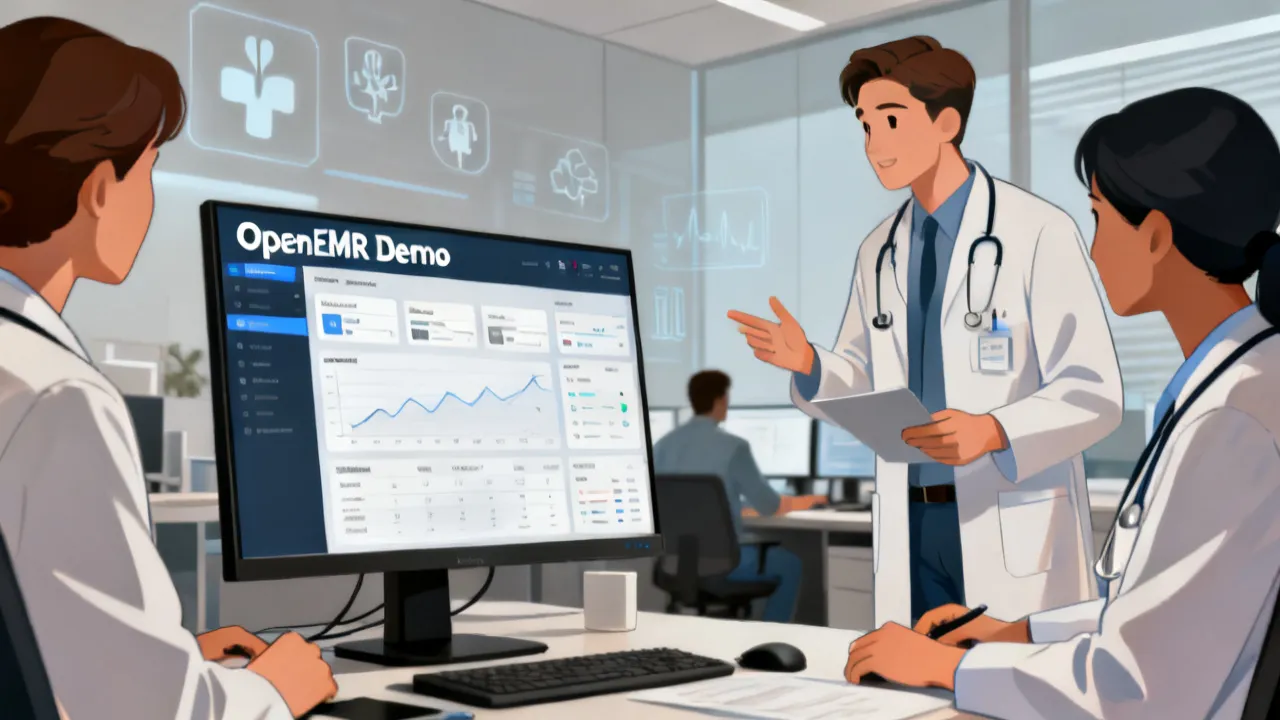
Critical reasons to run an OpenEMR Demo before committing to implementation
Before any healthcare organization signs off on an EMR/EHR purchase or deployment, running an OpenEMR Demo helps your team confirm real-world fit: whether scheduling, documentation, billing-related workflows, patient lookup, role-based access, and audit trails behave the way clinicians expect. A strong demo reduces downstream risk—misaligned workflows, configuration surprises, and training gaps—by letting you test the system using your own organizational scenarios.
From an industry perspective, the key is not merely “seeing screens,” but validating end-to-end processes: intake to charting to follow-up, plus the administrative routines that keep care consistent. When you approach an OpenEMR Demo with defined acceptance criteria, the evaluation becomes evidence-driven rather than opinion-driven.
In practice, teams often assume that a demo will showcase what matters most, but the hardest part of EMR evaluation is rarely whether the software has a button to do something—it’s whether the software supports how your organization actually works. In other words: can staff move through common tasks without friction? Are data captured in a way that supports safe clinical decision-making later? Does the system encourage consistent documentation patterns that reduce variability and improve continuity? The OpenEMR Demo is your opportunity to find these answers early, before budget commitments and change-management commitments become locked in.
Moreover, a demo provides a unique advantage over reading product brochures or reviewing screenshots: it gives your stakeholders a chance to collaborate, compare notes, and align on what “good” really means. This alignment is valuable in its own right, because EMR adoption depends on shared understanding across clinicians, front-desk staff, clinical operations leadership, IT/security, and procurement. When the evaluation is structured and documented, you can create a defensible basis for the next decision—whether that decision is to proceed, to renegotiate scope, or to keep searching.
In many organizations, EMR selection is also a change-management event. Even if the vendor’s system is technically sound, staff may resist adoption if they feel the workflow was designed for someone else. Testing the actual usability during an OpenEMR Demo helps reduce resistance by creating buy-in: the system is not a “surprise” at go-live, and staff can point to specific demo-confirmed capabilities or specific gaps that the implementation team must address.
What an “OpenEMR Demo” typically allows you to test
An OpenEMR Demo environment is usually designed to show core capabilities of OpenEMR (often including patient registration flows, chart views, problem lists, encounters, documentation templates, and configurable modules). While exact features can vary depending on the provider’s demo setup, the evaluation should focus on usability, workflow completeness, and governance controls.
In many organizations, clinicians care about whether documentation is fast and consistent; operations teams care about whether the system can support reliable data capture and reporting; and compliance stakeholders care about traceability and access controls.
However, a robust evaluation goes beyond “does the software have the feature.” It tests whether the feature can be used reliably in the way your team intends. For example, patient search is not just a search bar; it is also about how quickly staff can find the right patient under time pressure, how the system handles duplicate identifiers, and how it prevents accidental merging of records or selection of the wrong patient. Similarly, documentation templates are not just forms; they are mechanisms to standardize care capture, facilitate longitudinal chart review, and support reporting.
When you run an OpenEMR Demo, you can also evaluate the “hidden” capabilities that determine whether a system will scale within your organization. These include:
- Template extensibility: can you adjust documentation templates to match evolving clinical practice without rewriting everything?
- Data element mapping: do the captured fields align with the way you think about problems, medications, allergies, and clinical history?
- Navigation patterns: does the user flow reduce repeated back-and-forth, or does it require unnecessary detours?
- Audit and traceability: is it clear who changed what, when, and why (or at least what can be documented as the record changes)?
- Role-specific experiences: can different users complete tasks within their permissions without being blocked by missing fields or misconfigured access?
Why healthcare teams evaluate demos differently
Clinicians often judge a demo by speed and clarity: can they document accurately during a typical visit? Administrative teams judge it by process robustness: can staff reproduce outcomes consistently? IT teams judge it by architecture and maintainability: can it integrate with other tools, and can configurations be managed safely? A demo that “looks good” but fails on one of these dimensions can create good inefficiency.
To keep your evaluation objective, assign each group a short list of tests tied to real tasks. For example:
- Clinicians: document a visit using your preferred style, then review how the chart looks across time.
- Front-desk staff: verify scheduling or encounter registration logic and patient search accuracy.
- Clinical ops: check whether forms/templates enforce consistent data entry (without forcing unnecessary clicks).
- IT/security: confirm role-based access patterns, auditability, and data handling expectations.
It’s also useful to recognize that evaluation priorities often vary based on clinical specialty and care model. A primary care practice may focus on longitudinal documentation, chronic disease management workflows, and preventive care tracking. A specialty practice may focus on referral capture, problem specificity, procedure documentation, and structured clinical findings. Multi-site organizations may focus on governance, standardized templates, consistent data capture across locations, and centralized reporting.
Therefore, you should treat the OpenEMR Demo as a tailored test. Instead of having everyone passively watch the vendor demonstrate “best case” tasks, put users in the driver’s seat for key scenarios. When clinicians attempt real documentation tasks and experience friction, the organization learns quickly. When administrators attempt real registration and appointment workflows, the organization learns where operational time is likely to be lost.
In a well-run demo, each stakeholder can articulate what they observed, how it impacts day-to-day work, and what evidence supports that view. This is why a demo is not just a product walkthrough; it is an organized evaluation exercise.
Buyer checklist: the highest-impact questions during an OpenEMR Demo
When you run an OpenEMR Demo, the very valuable output is a decision-ready checklist. The list below prioritizes critical evaluation dimensions that frequently determine whether an EMR deployment succeeds.
To make the checklist maximally useful, you should require that every “yes” answer is supported by evidence from the demo scenario. For example: “Yes, clinicians can document quickly” should correspond to a test scenario that demonstrates time-to-document under realistic constraints, not simply an assertion. The same applies to permissions: “Yes, role-based access is enforced” should be backed by an attempt to perform a restricted action and observation of what the system does.
1) Workflow fit and chart usability
Test whether chart screens support your typical care process. Ask: Does the chart reduce scrolling and rework? Are visit notes structured enough to support future recall? Can your team enter data in a way that matches actual documentation habits?
Chart usability is often the difference between “documentation is captured” and “documentation is usable later.” A chart might show all necessary elements, but if those elements appear in inconsistent locations or if the clinician cannot quickly distinguish new versus historical information, clinical efficiency suffers. In the OpenEMR Demo, ask the clinician users to perform a familiar longitudinal review: open a patient with at least one prior encounter and try to answer practical questions quickly (e.g., “What changed since last visit?”, “What medications were updated?”, “When was the last relevant test?”). If the system requires deep navigation or repeated searches, you may be looking at a workflow gap that will become more costly after go-live.
2) Data quality and standardization
Demos should demonstrate how the system encourages consistent data entry—such as required fields, standardized terminology, and how histories are displayed. Poor structure at the demo stage often becomes expensive rework later.
Standardization is not merely compliance; it is clinical safety and operational reliability. For instance, if allergies are free-text with no consistent structure, medication safety checks can become less reliable. If vitals are entered inconsistently, longitudinal comparisons become harder. If problem lists can be created in multiple formats or without validation, reporting and clinical decision support become more fragile.
During an OpenEMR Demo, evaluate how data fields behave under real usage patterns. For example:
- When a user attempts to save an encounter note, do required fields prompt clearly or do they fail silently?
- Are there helpful defaults that reduce retyping without compromising data accuracy?
- How does the system handle units and normalization (e.g., blood pressure units, lab units, measurement conversions if relevant)?
- Does the system provide structured representation for data that needs to be reported later?
If you plan to use the EMR as a “system of record” and not just as a charting tool, data quality evaluation should be considered a top-tier acceptance requirement.
3) Role-based access and accountability
A mature EHR/EMR evaluation should consider permissions by role. During the OpenEMR Demo, confirm that staff can only perform tasks aligned to their responsibilities and that the system records meaningful activity for traceability.
Role-based access is a major safety control, and it directly influences workflow efficiency. Overly restrictive permissions can block routine tasks and create workarounds; overly permissive permissions can create clinical risk and compliance exposure. The right approach is role-specific permissions that map to your operational reality.
During the demo, attempt to perform tasks as different users. For example:
- Try to access patient data outside a user’s permitted context.
- Try to edit or delete specific documentation elements and confirm what happens.
- Check whether changes are logged (audit trail visibility, or at minimum whether an audit log exists and can be reviewed).
Also ask about administrative transparency: can you see what actions are logged, how long logs are kept, and who can view audit information? If the demo cannot demonstrate these behaviors, the gap should be captured and resolved in readiness planning.
4) Reporting and operational visibility
Healthcare organizations need operational and clinical visibility. In a demo, focus on whether dashboards or reports can answer practical questions—like patient lists, visit summaries, or documentation completeness—without requiring deep custom development immediately.
Many buyers mistakenly treat reporting as a later-phase customization project. In reality, reporting is central to operational management: you need to monitor quality metrics, validate documentation completeness, manage scheduling performance, and support patient follow-up workflows. If the reporting capabilities are limited or require complex customization, that can affect implementation timelines and ongoing costs.
In an OpenEMR Demo, test reporting in a “workflow-driven” way. Instead of asking the vendor to show a prebuilt dashboard, ask your staff to define a few questions they regularly need answered. For example:
- Which patients had a specific type of visit in the last 30 days?
- Which patients have missing documentation fields for a given encounter type?
- Which patients are due for follow-up based on a structured data element?
- What is the completeness of demographic information captured for newly registered patients?
When you run these questions against the demo data, you learn whether reporting is built on real structured data or whether it relies on unstructured text searching that may not scale.
5) Integration readiness
Even if the demo doesn’t include full integrations, you should evaluate how the platform approaches data exchange. Ask what kinds of integration are feasible and what information needs to be exported or shared.
Integration readiness matters because healthcare workflows often depend on external systems: labs, imaging, e-prescribing, immunization registries, patient portals, scheduling platforms, billing or revenue cycle tools, identity providers, and data analytics. Even when integration is not immediately required for initial go-live, integration architecture should be assessed so you do not build a future dependency on vendor workarounds.
During your OpenEMR Demo, ask questions like:
- Does the system support APIs or standard interfaces for data exchange?
- What is the approach for importing and exporting data?
- How are integrations authenticated and secured?
- What information can be mapped and how flexible is mapping?
- What integration projects have similar scope to what you need?
Even if the demo environment is simplified, the vendor should be able to describe realistic integration paths and expected effort.
6) Training and configuration effort
Implementations succeed when teams can configure templates and workflows with acceptable effort. In your OpenEMR Demo review meeting, ask how templates, forms, and navigation can be tailored to your organization.
Training effort is often underestimated. If the interface is flexible but difficult to configure, you may depend heavily on vendor support, increasing cost and slowing down iterative improvements. Conversely, if configuration is easy but the demo revealed workflow friction, you may still spend too much time training users to work around limitations.
Ask whether clinicians can be empowered to adjust templates and documentation structures. Ask whether configuration changes can be tested safely. Ask what controls exist to prevent inconsistent templates being deployed across roles or sites.
A demo should also reveal whether the system supports common “day-2” needs: adding a new documentation field, adjusting a checklist, modifying a workflow step, or updating permissions without requiring large-scale system changes. These seemingly small changes can drive productivity after go-live.
Commercial and procurement considerations: pricing, suppliers, and procurement realism
You may encounter different commercial offerings around OpenEMR-related services, such as hosting, implementation support, training, and customization. Because pricing varies significantly by vendor, scope, and local requirements, the very responsible approach is to request a written quote and a clearly defined scope of work rather than relying on assumptions.
For procurement, it’s common that “system cost” is only one part of total cost of ownership. Industry practice emphasizes that the largest costs often come from implementation services, workflow redesign, training, and ongoing support—rather than the baseline software license alone.
Supplier due diligence: When considering any supplier offering an OpenEMR Demo or related services, evaluate references, support structure, escalation paths, and the experience of their implementation team with your care model (e.g., primary care, outpatient specialty, or multi-site operations).
Location note: You didn’t provide a specific city or country in the request, and the keyword placeholders do not include a location value. Where local compliance or data handling rules differ by jurisdiction, your supplier should document how they support your region.
It can also be helpful to treat procurement as an engineering exercise rather than only a buying exercise. Your procurement documents should include explicit acceptance criteria and measurable deliverables. For example:
- Deliverable: configured templates and documentation workflows aligned with your acceptance criteria.
- Deliverable: completed test scripts for role permissions and audit trail validation.
- Deliverable: training completion evidence for each staff group.
- Deliverable: go-live support plan, including coverage windows and response SLAs.
When these elements are not defined up front, organizations often experience implementation drift: delays, unclear ownership, and “scope creep” where what was promised in a demo becomes difficult to deliver later without additional cost.
When evaluating suppliers, also clarify the responsibilities between supplier and buyer. For instance, who owns workflow mapping? Who owns data migration preparation? Who configures templates? Who signs off on user acceptance testing? A strong OpenEMR Demo can inform these discussions, because it reveals where the configuration and operational responsibilities will likely fall.
Comparison table: selecting an evaluation path using an OpenEMR Demo
The following table compares common evaluation paths for healthcare organizations assessing OpenEMR capabilities. It reframes “demo vs. pilot vs. implementation” as practical options—use it to structure internal alignment and reduce decision noise.
| Evaluation Path | What You Typically Validate | Top For | Key Conditions/Requirements |
|---|---|---|---|
| OpenEMR Demo Workshop | Core navigation, documentation flow, basic configuration look-and-feel | Initial vendor assessment and stakeholder alignment | Clear demo script, assigned test users, realistic sample cases, and recorded outcomes |
| Guided Configuration Review | Template behavior, permissions model, documentation structure, and reporting examples | Organizations with defined workflows and standardized forms | Access to sample templates, documented role matrix, and confirmation of audit/traceability behavior |
| Limited Pilot (Time-Bound) | Operational performance in real routines, data entry consistency, training effectiveness | Teams ready to validate operational readiness | Defined pilot scope, success metrics, data migration plan (even if partial), and contingency workflow |
| Full Implementation Readiness Assessment | Integration approach, governance, security posture, and change management plan | Organizations with multiple sites or complex integrations | Security assessment, integration requirements list, and a phased go-live plan |
Source-backed context: how EHR/EMR demos connect to compliance and safety
Demos are not compliance guarantees by themselves. However, the way a system supports documentation, access control, and traceability can influence risk posture. For context, healthcare organizations often align evaluation criteria to established guidance such as:
- ONC (U.S.) and related interoperability guidance for health IT capabilities and data exchange expectations.
- ISO/IEC standards and top practices for information security and system usability.
- NIST-aligned security principles commonly used in healthcare security programs.
References (for general background): U.S. Office of the National Coordinator for Health Information Technology (ONC) program guidance; NIST (National Institute of Standards and Technology) cybersecurity framework; ISO/IEC information security standards.
Note: Since your request did not include a specific jurisdiction, the above references are provided as general, reputable sources commonly used in healthcare IT evaluation. Your supplier should map controls to your local regulatory requirements.
To connect this context back to the OpenEMR Demo, consider that safety and compliance often appear as practical behaviors rather than policy documents. Examples include: whether users can access only what they need, whether changes are logged in a way that supports accountability, whether clinical documentation supports continuity, and whether the system protects data integrity during common workflow events (like updating a problem list or amending medication records). A demo that shows these behaviors clearly can help reduce uncertainty early.
Step-by-step guide: run an OpenEMR Demo like an implementation reviewer
The following process is designed to produce actionable evidence. It helps you move from “impressed/not impressed” to a documented evaluation with clear next steps.
Step 1: Define your evaluation objectives (before the demo)
Bring together clinical leads, operations staff, IT/security, and procurement. Write down the top workflow outcomes you must validate (for example: documentation completeness, patient lookup speed, scheduling accuracy, and role permissions).
Defining objectives before the demo is where many organizations either succeed or struggle. Without objectives, teams tend to focus on whatever the vendor chooses to show, which may reflect “happy path” workflows rather than the true operational path. Objectives should be written in a way that can be tested. For example, “clinicians can document without excessive clicks” can be made measurable by tracking the number of steps required to complete a defined documentation scenario.
Also consider whether your organization has a formal governance structure for vendor evaluation. If it does, align your demo goals with governance expectations. If it doesn’t, create a lightweight governance process for the demo evaluation: define who signs off, how decisions are recorded, and how issues are captured and tracked.
Step 2: Build realistic test scenarios
Create several short scenarios that mirror real work:
- A new patient intake with demographics and a first encounter note.
- A follow-up visit where prior history is reviewed and updated.
- A role-based scenario (e.g., different permissions for clinician vs. admin staff).
- A documentation quality scenario (required fields, structured items, and how the chart renders).
To increase realism, build scenarios around your internal routines. If your practice commonly uses recurring visit types (e.g., annual physicals, chronic disease follow-ups, procedure follow-ups, medication renewal visits), include those. If you document in a specific structured format (problem-oriented documentation, checklists, templated assessments), include those patterns.
Also consider edge cases. For example:
- What happens if a patient has a name variation (e.g., common spelling differences)?
- What happens when a user searches by partial identifiers?
- What happens when data is missing (e.g., allergies not entered yet)?
- How does the system handle record correction and amendment?
An OpenEMR Demo is a controlled environment, but it should still model common operational complexity. Including at least one scenario that mimics a “messy data” situation can reveal how robust the system is when real-life variation occurs.
Step 3: Conduct the demo with a scripted workflow
Ask the supplier to follow your scenarios. If they cannot or the demo diverges, record the limitation. A realistic demo should reflect how the system behaves under relevant tasks—not just how it looks on a marketing path.
Scripted demos are powerful because they minimize the risk of misinterpretation. Vendors may demonstrate features with pre-populated data and ideal conditions. Your scripted scenarios should include the data state needed to test your workflow. For instance, if you want to test follow-up documentation, your demo should include a patient with prior encounters that match your scenario requirements.
During the demo, use a consistent method of observation. Assign a note-taker or evaluator. Capture time estimates for each workflow step, note friction points, and record screenshots or short video captures if possible (subject to supplier policies). If the supplier changes the scenario mid-stream, note it and consider whether that change invalidates your acceptance criteria.
If the vendor cannot comply with your script, interpret this as a meaningful signal. It might be a limitation of the demo environment, a limitation of what they are willing to show, or a technical limitation. Regardless of the cause, document the issue and request a path to validate it during guided configuration or pilot activities.
Step 4: Measure what matters to each stakeholder
Use a scorecard. For example:
- Clinicians: time to document, clarity of chart layout, ease of finding prior data.
- Operations: errors encountered during registration/updates, staff effort required per visit.
- IT/security: permission boundaries, audit behavior, configuration manageability.
Keep the scoring consistent and compare outcomes across scenarios rather than across screens.
To make the scorecard more actionable, define scoring categories and what each score means. For example, 1 = cannot complete the task, 2 = complete with significant workarounds or repeated errors, 3 = complete with minor friction, 4 = complete smoothly, 5 = complete and improves workflow efficiency. These definitions prevent subjective scoring drift between evaluators.
Also consider workload realism. In the real world, documentation time pressure matters. You may not measure exact minutes during the demo, but you can approximate time-to-completion and count steps. If your clinicians struggle to find data during the demo, they will struggle more under real conditions where multiple tasks compete for attention.
Finally, include an “ease of correction” metric. For example: if something is entered incorrectly, can the user correct it efficiently? Can they update the right data element without affecting unrelated data? Ease of correction often determines whether a system is safe and usable.
Step 5: Validate governance and traceability behaviors
Ask how the system records changes to important data and who can access what. The point is to confirm that the system supports accountability patterns expected in healthcare environments.
Traceability typically includes audit logs, user identity tracking, and the ability to see what changed. In the demo, attempt to trigger actions that should generate audit records (such as editing a key clinical element). Then, verify that the audit record exists and is accessible through the appropriate mechanism.
Also evaluate governance around template and configuration changes. For example:
- Can templates be versioned or tracked?
- Can changes be reviewed before they are deployed?
- Can permissions be managed without broad administrative access?
- Are there ways to reduce the risk of unauthorized modifications?
Governance is not just about audit logs; it’s also about configuration control. If template changes are easy to make but hard to manage, inconsistencies may appear across time, which harms reporting and clinical consistency.
Step 6: Confirm implementation support expectations
Even if the demo works, deployment depends on vendor or partner delivery. Request clarity on:
- Implementation timeline assumptions
- Training approach and training materials
- Change management responsibilities
- Support coverage during and after go-live
Implementation support is where many projects either succeed or fail. During the demo, clarify how the vendor will handle your specific needs. For example, if your organization requires structured documentation beyond the default templates, who will build those templates and how will they be validated? If you require specific reporting outputs, who will create and test them? If integrations are needed, what is the timeline and who provides the technical resources?
It also helps to request a high-level implementation plan with phases and milestones. An evidence-driven demo will reveal what phases are necessary. For example:
- Phase 1: discovery and workflow mapping
- Phase 2: template configuration and role permissions setup
- Phase 3: data migration support and data quality validation
- Phase 4: user acceptance testing (UAT)
- Phase 5: training execution and go-live support planning
Ask for who is accountable for each phase and what deliverables you can expect. If the vendor provides vague answers, treat that as a procurement risk signal.
Step 7: Decide next actions using evidence
Based on the test scenarios, decide whether you proceed to guided configuration review, a limited pilot, or a readiness assessment. Document decisions and the reasons behind them.
Evidence-based decision-making during the OpenEMR Demo should produce at least one of the following outcomes: (1) clear go/no-go criteria met, (2) a prioritized list of gaps requiring resolution, or (3) a decision to shift evaluation to a different supplier if critical gaps cannot be addressed. In all cases, document the decision rationale.
Many organizations fail because they collect feedback but do not consolidate it. During decision-making, group issues into categories: workflow fit, data capture quality, permissions and governance, reporting, integration readiness, and training/configuration effort. Assign ownership and next-step responsibility for each gap.
Conditions and requirements to ensure the OpenEMR Demo is actually useful
Not every demo provides decision-grade information. To prevent that, establish conditions/requirements in advance:
- Defined demo scope: ensure the supplier covers the modules and workflow steps relevant to your organization.
- Named test users: use roles that represent real staff responsibilities.
- Access to evaluation artifacts: request screenshots, workflow maps, and configuration notes relevant to what you tested.
- Documented gaps: if something isn’t available in the demo environment, require a written explanation and a plan for how it would be handled during implementation.
- Security and governance alignment: confirm what can be configured and what will require vendor involvement.
To further strengthen the utility of the OpenEMR Demo, define “hard questions” that must be answered during the session. Examples of hard questions include:
- Can you demonstrate role-based restrictions by attempting a restricted action?
- Can we see how audit information is recorded and where it can be viewed?
- Can we generate a report based on structured data fields, not only free-text searches?
- Can clinicians complete a documented visit scenario using our template structure (or a close approximation)?
- Can the system support our workflows with acceptable configuration effort?
Also, insist on a demo environment that is stable and realistic. A demo environment that resets unexpectedly, lacks sample data continuity, or cannot sustain your scripted workflow undermines confidence. If the environment will be reset between steps, plan your test scenario so it still yields meaningful evidence.
Finally, define how issues will be captured. A demo tends to produce many observations, but not all observations are actionable. Create an issue log format that includes: scenario name, workflow step, evidence (screen/time), expected behavior, actual behavior, severity, and suggested next step. This issue log becomes the foundation of your guided configuration review or pilot plan.
Industry expert perspective: what “good” looks like in a demo
In practice, the top OpenEMR Demo experiences share a common trait: they reduce cognitive load. That means navigation is intuitive, the chart structure supports how clinicians think, and the system surfaces needed information without forcing repeated searches.
From an expert standpoint, a demo should also make the following things visible:
- Consistency: the same type of information appears predictably across visits and contexts.
- Safety-oriented behavior: permissions and audit trails behave as expected when users attempt actions outside their roles.
- Operational support: the system supports day-to-day routines, not only controlled demonstrations.
Finally, the strongest demo is transparent about limitations. Vendors who explain trade-offs clearly—what is included in the base configuration vs. what would require customization—help buyers plan realistically.
Experts also look for “workflow friction signals.” These are patterns that might seem minor in a demo but can cause long-term inefficiency, such as:
- Excessive reliance on scrolling or hunting through multiple sections for routine elements.
- Inconsistent field placement that forces memory load rather than recognition.
- Unclear system state (e.g., unclear whether an encounter is saved, locked, or requires completion).
- Ambiguous error messages that require trainer intervention.
- Data entry prompts that do not reflect real clinical needs (e.g., irrelevant required fields).
A “good” demo will either avoid these friction signals or clearly explain how they are addressed through configuration and training.
Experts also evaluate demo quality in terms of changeability. Healthcare organizations evolve—new care pathways, revised documentation standards, and emerging regulatory or reporting requirements. A demo that provides a clear path to adapt templates and workflows signals that the EMR can mature with your organization, rather than forcing you into a rigid practice style.
FAQs about OpenEMR Demo evaluations
FAQ 1: What is an OpenEMR Demo?
An OpenEMR Demo is a demonstration environment that shows how OpenEMR features can support healthcare workflows such as patient registration, charting, documentation, and administrative functions. The goal is to let teams evaluate usability and workflow fit before committing to implementation.
In a strong demo, the environment supports scenario-based testing with realistic patient data and realistic roles, rather than a scripted vendor presentation only. The difference matters because it moves evaluation from “marketing viewing” to “operational testing.”
FAQ 2: Can we trust a demo to reflect real performance?
A demo is useful for workflow validation and usability, but performance in production depends on infrastructure, user load, configuration, and integration setup. Treat the demo as an assessment of behavior and fit, and confirm performance expectations during pilot or readiness planning.
To improve confidence, ask the vendor about demo environment assumptions: hardware and hosting specs, database configuration, network latency, and the number of concurrent users. Even if you can’t reproduce your full production load during a demo, comparing demo behavior to your anticipated usage can help set expectations.
FAQ 3: How should clinicians prepare for the demo?
Clinicians should prepare short, realistic visit scenarios and preferred documentation styles (including typical fields they rely on). They should also define what “good charting” means for follow-up care—such as easy access to prior history and clear documentation structure.
Clinicians can also prepare a “documentation wish list” that is grounded in safety and continuity. For example: “I need my assessment and plan to appear in a consistent format across visits.” or “I need medications and allergies to be reliably accessible without hunting.” Bringing this clarity to the demo helps avoid a generic evaluation.
FAQ 4: What should IT/security look for during an OpenEMR Demo?
IT/security should evaluate role-based permissions, auditability or traceability of important actions, configuration options, and data handling assumptions. Even if the demo environment is simplified, the security model and governance behaviors should be explained and demonstrated.
IT/security teams should also request information about user authentication options, session management, password or MFA capabilities (if applicable), data backup assumptions, and how updates or patches are handled. The demo may not fully demonstrate these areas, but the vendor should provide a clear documented approach.
FAQ 5: How do we compare suppliers offering OpenEMR Demo services?
Compare suppliers based on implementation experience, clarity of scope, support model, training approach, and the quality of their demo script. Request written responses for any limitations you discover during the evaluation.
Beyond product capabilities, supplier comparison should include delivery maturity. A vendor that can run an evaluation workshop with structured scenarios, produces an issue log, and provides a plan for closing gaps is often more capable during actual implementation than a vendor that offers only a flexible “show what we can” walkthrough.
FAQ 6: What pricing factors should we ask about?
Ask for a breakdown that reflects total cost of ownership: implementation services, training, configuration, ongoing support, hosting or infrastructure needs (if applicable), and any integration work. Avoid vague pricing and seek scope definitions tied to your evaluation requirements.
Also ask about pricing for changes. EMR implementations often involve iteration. You should clarify how new template requests, additional roles, or report updates are priced—especially during the pilot and early post-go-live period.
FAQ 7: Is a limited pilot necessary after the demo?
Often, yes—especially for organizations with multiple workflows, multiple roles, or complex documentation requirements. A pilot helps validate operational readiness, data consistency, and training effectiveness in a more realistic setting.
A pilot can also be used to validate training materials. For example, if clinicians struggle with a particular navigation task during the pilot, you learn that training content needs revision. If front-desk staff encounter repeated errors, you learn that training and workflow design must be improved, not that the system is unusable.
Conclusion: turning an OpenEMR Demo into a defensible decision
An OpenEMR Demo can be the very time-efficient step in your EMR/EHR selection journey—provided you treat it as structured evaluation rather than passive viewing. When you combine scenario-based testing, role-specific validation, procurement realism, and governance checks, your organization gains a clear evidence trail for next steps. The result is a smoother implementation path, fewer workflow surprises, and stronger alignment between clinical staff, operations, and IT/security teams.
To make the demo defensible, ensure that outcomes are captured in an issue log with mapped acceptance criteria. Ensure that each stakeholder’s observations are documented with evidence and linked to workflow scenarios. Ensure that gaps are converted into planned actions for guided configuration, pilot, or readiness assessment.
Ultimately, the purpose of an OpenEMR Demo is not to confirm that a system can do everything in theory. It is to confirm that the system can do the most important things in practice—safely, efficiently, and in a way that matches your organization’s real workflows. When you evaluate accordingly, the demo becomes one of the strongest risk-reduction tools you can use before committing to implementation.